





















Description
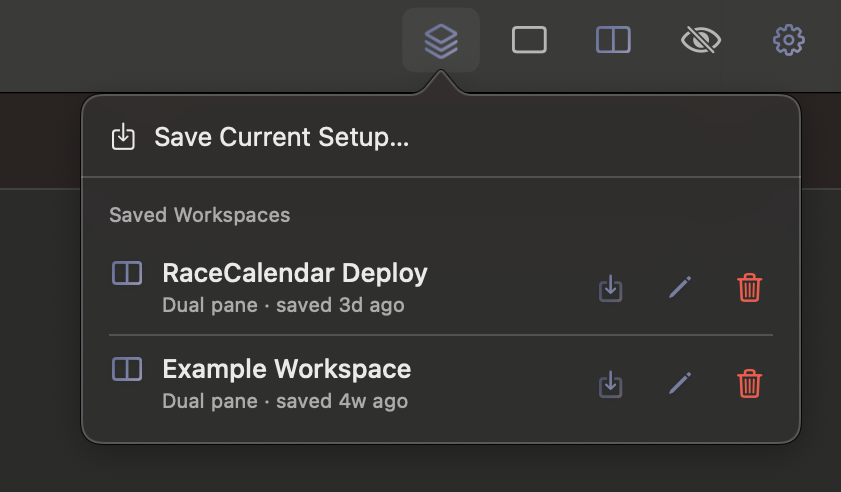
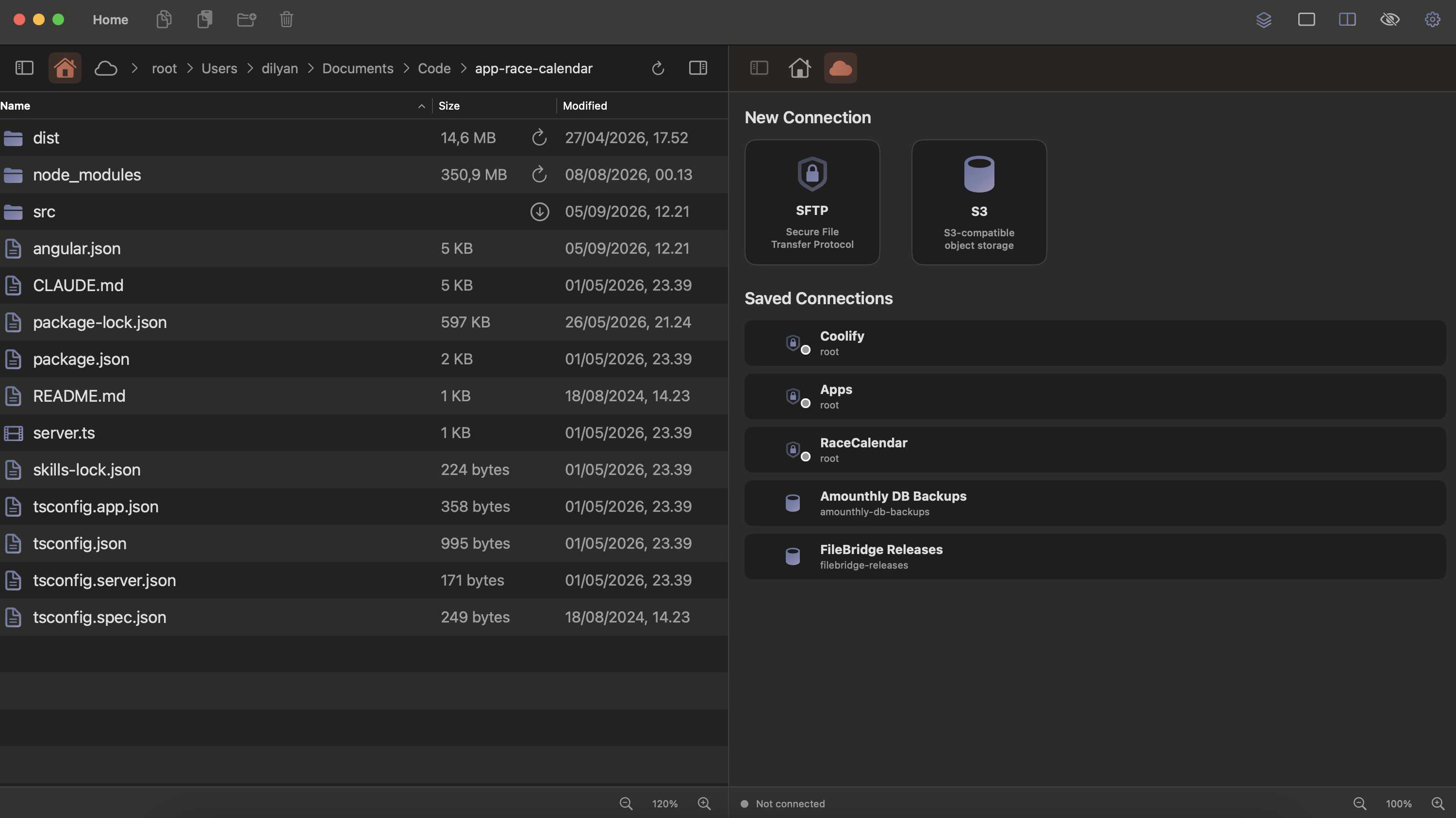
A native macOS dual-pane file manager that connects your local folders and remote storage. Save everything as Workspaces and reopen exactly where you left off. What FileBridge does: browse local files and folders. move files to servers with a drag and drop. dual-pane navigation. save folder setups to reopen later. calculate folder sizes. SFTP + S3 support (more to come later). no cloud.…
Preview

Information
People also visit
Apps people often open alongside FileBridge.
FileBridge FAQ
What is FileBridge?
A native macOS dual-pane file manager that connects your local folders and remote storage. Save everything as Workspaces and reopen exactly where you left off. What FileBridge does: browse local files and folders. move files to servers with a drag and drop. dual-pane navigation. save folder setups to reopen later. calculate folder sizes. SFTP + S3 support (more to come later). no cloud.
Is FileBridge free?
No. FileBridge is a paid app.
Do I need to download FileBridge?
No. FileBridge runs in your browser at filebridge.dev, so there's nothing to install.
What are the best FileBridge alternatives?
Popular alternatives to FileBridge include FileNav, Hangar for Mac and Cozy Watch. See all FileBridge alternatives