




















Description
Poindeo is an easy-to-use video creation tool. With just one click, you can effortlessly add dynamic zoom-in/out effects to your images, PDFs, and videos—no editing experience required. Featuring beautiful background templates, dynamic music, and preset social media ratios, Poindeo helps you quickly produce stunning 4K videos or high-quality GIF animations, perfect for product demos, tutorials,……
Preview



Highlights
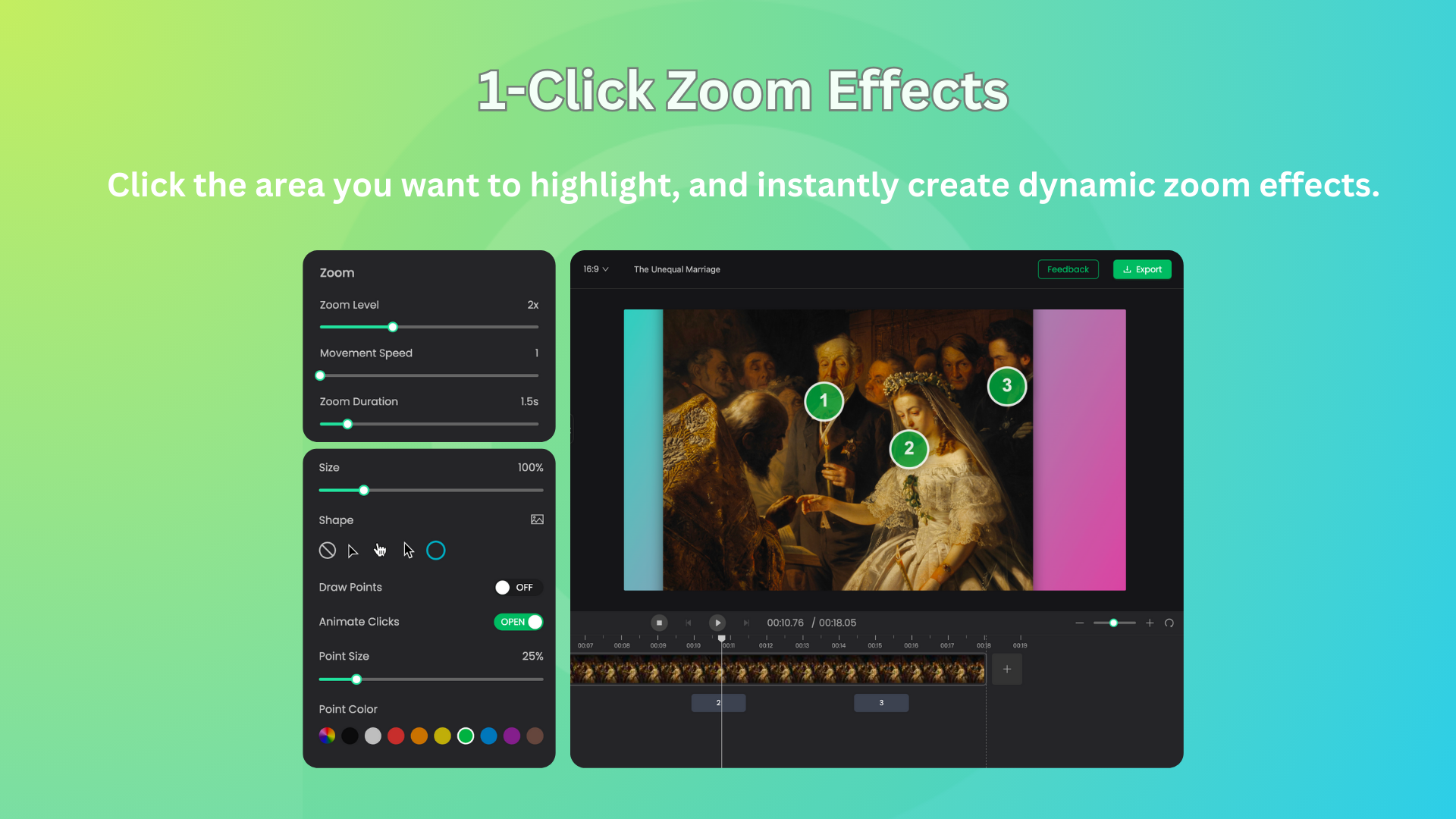
- One-Click Zoom Effects
- Rich and Stunning Backgrounds
- Supports Multiple File Types
- Easily Add Background Music
- Convenient Text Annotation
- Flexible Export Formats
People also visit
Apps people often open alongside Poindeo.

bestwebdesigntools
Curated directory for landing page templates and latest web design tools
Poindeo FAQ
What is Poindeo?
Poindeo is an easy-to-use video creation tool. With just one click, you can effortlessly add dynamic zoom-in/out effects to your images, PDFs, and videos—no editing experience required. Featuring beautiful background templates, dynamic music, and preset social media ratios, Poindeo helps you quickly produce stunning 4K videos or high-quality GIF animations, perfect for product demos, tutorials,…
Is Poindeo free?
Yes. Poindeo is free to use.
Do I need to download Poindeo?
No. Poindeo runs in your browser at poindeo.com, so there's nothing to install.
What can you do with Poindeo?
Main features: One-Click Zoom Effects, Rich and Stunning Backgrounds, Supports Multiple File Types, Easily Add Background Music, Convenient Text Annotation.
What are the best Poindeo alternatives?
Popular alternatives to Poindeo include Cap, Recut and Shotlingo. See all Poindeo alternatives