























Description
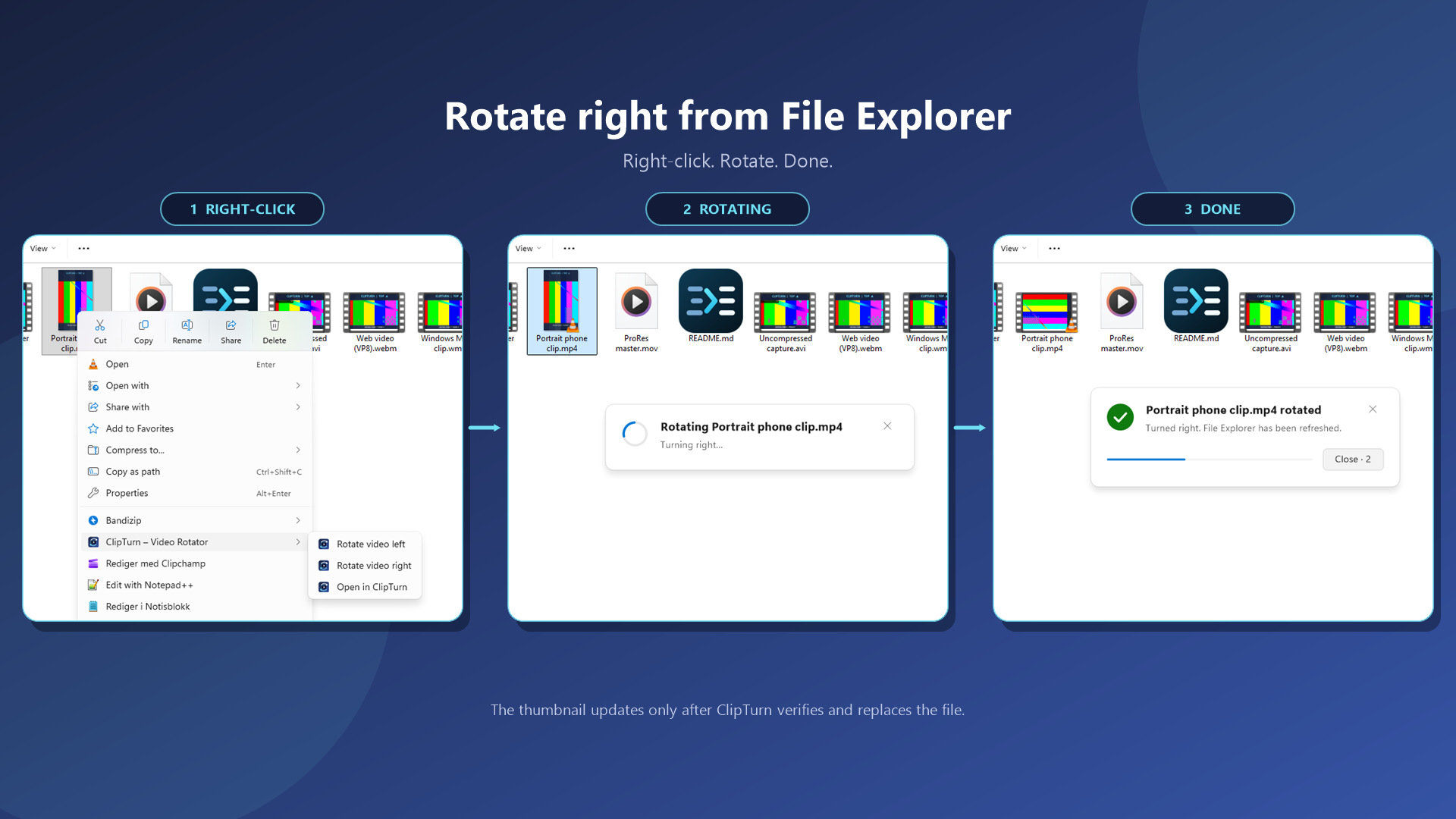
Windows lets you right-click a photo and rotate it, but it offers nothing for video. ClipTurn adds Rotate left and Rotate right to the File Explorer context menu, so a clip your phone saved sideways can be fixed in two clicks without opening an editor or picking an export preset. Most rotation tools take one of two approaches.…
Preview
Highlights
- No codec dropdown, bitrate field or quality slider
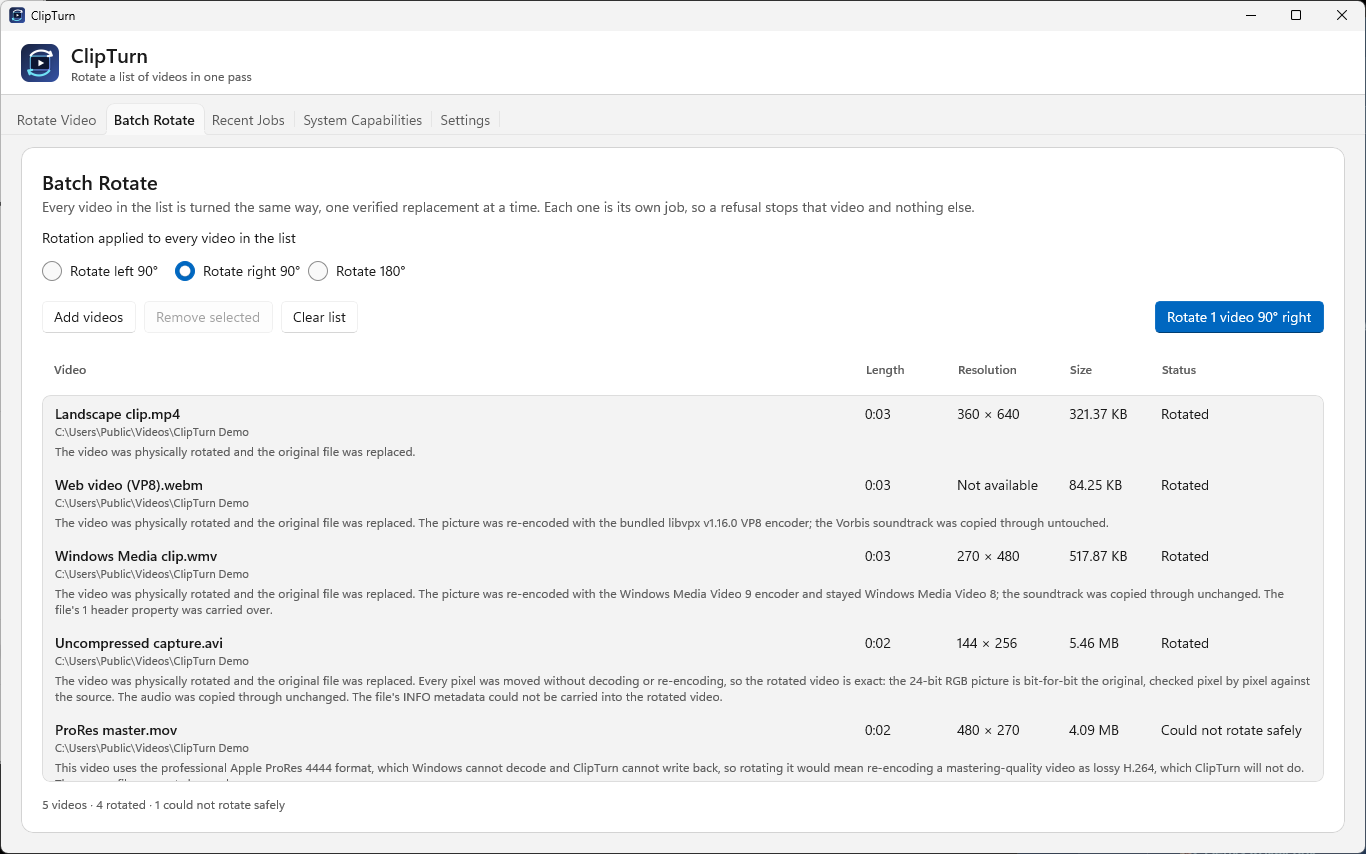
- Batch Rotate for turning a whole list of files in one run
- Supports MP4, M4V, MOV, MKV, WebM, WMV and uncompressed AVI
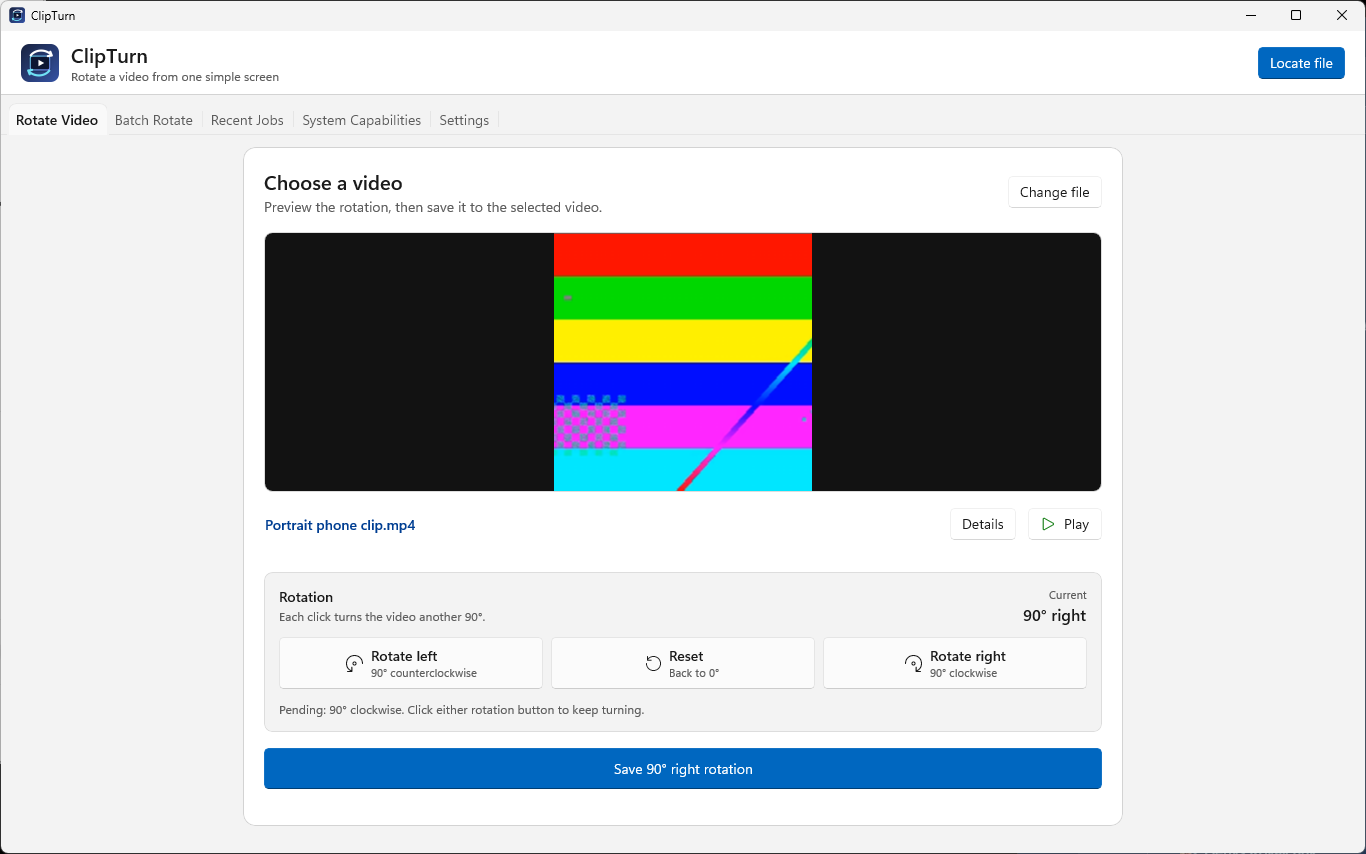
- Live preview before you commit, and a dark mode
- Works offline, no account, no ads
People also visit
Apps people often open alongside ClipTurn.
ClipTurn FAQ
What is ClipTurn?
Windows lets you right-click a photo and rotate it, but it offers nothing for video. ClipTurn adds Rotate left and Rotate right to the File Explorer context menu, so a clip your phone saved sideways can be fixed in two clicks without opening an editor or picking an export preset. Most rotation tools take one of two approaches.
Is ClipTurn free?
Yes. ClipTurn is free to use.
Do I need to download ClipTurn?
No. ClipTurn runs in your browser at clipturn.app, so there's nothing to install.
What can you do with ClipTurn?
Main features: No codec dropdown, bitrate field or quality slider, Batch Rotate for turning a whole list of files in one run, Supports MP4, M4V, MOV, MKV, WebM, WMV and uncompressed AVI, Live preview before you commit, and a dark mode, Works offline, no account, no ads.
What are the best ClipTurn alternatives?
Popular alternatives to ClipTurn include GetCompress, Jellyfin and Invidious. See all ClipTurn alternatives